Intl Phone Number Input
A phone number input with built in country dial code drop down for Elm written entirely in Elm.
Inspired by intl-tel-input jQuery plugin.
Live Demo
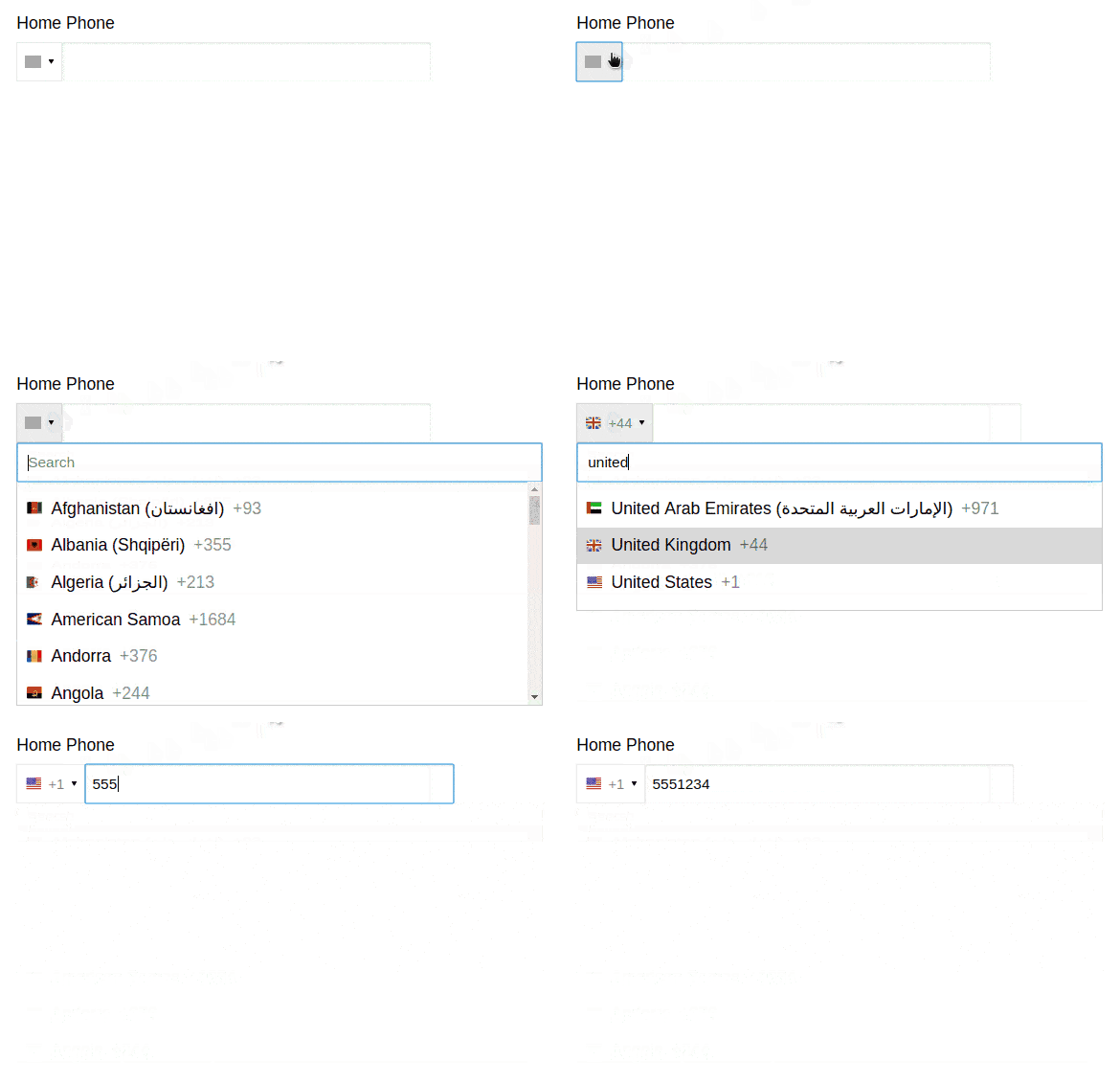
Example
type Msg
    = HomePhoneChanged IntlPhoneInput.State PhoneNumber (Cmd Msg)


type alias Model =
    { homePhoneNumber : ( IntlPhoneInput.State, PhoneNumber )
    }

homePhoneConfig : Config Msg
homePhoneConfig =
    Config.defaultConfig HomePhoneChanged


view : Model -> Html Msg
view model =
    let
        { css } =
            Css.compile
                [ IntlPhoneInput.Css.css homePhoneConfig.namespace
                , Css.css homePhoneConfig.namespace
                ]

        { id, class, classList } =
            Html.CssHelpers.withNamespace homePhoneConfig.namespace
    in
    div [ class [ Demo ] ]
        [ Html.node "style" [] [ Html.text css ]
        , div [ class [ FormField ] ]
            [ label
                [ for (Config.getPhoneNumberInputId homePhoneConfig)
                , class [ Label ]
                ]
                [ text "Home Phone" ]
            , IntlPhoneInput.input homePhoneConfig
                (Tuple.first model.homePhoneNumber)
                (Tuple.second model.homePhoneNumber)
            ]
        ]


update : Msg -> Model -> ( Model, Cmd Msg )
update msg model =
    case msg of
        HomePhoneChanged state phoneNumber cmd ->
            ( { model | homePhoneNumber = ( state, phoneNumber ) }, cmd )
See full code at https://github.com/abadi199/intl-phone-input/blob/master/demo/Demo.elm
Configuration
You can do some customization to this IntlPhoneInput passing a custom Config value to the IntlPhoneInput.input view function.
Here's a list of configurable properties:
namespace: namespace forelm-csscountries: aDictofCountryDatawith country's ISO ccountriesSorter: a function to sort the list of countries in the dropdown.dialCodeFormatter: a function to format the dial code in the dropdown.
Example of creating a custom configuration:
type Msg = PhoneChanged IntlPhoneInput.State PhoneNumber (Cmd Msg)

config : IntlPhoneInput.Config.Config Msg
config =
    let
        baseConfig =
            Config.defaultConfig PhoneChanged
    in
        { baseConfig | dialCodeFormatter = \dialCode -> "(+" ++ dialCode ++ ")" }
Styling
IntlPhoneInput comes with minimal amount of styles. It doesn't even come with any styles for the phone number input field because everybody usually have their own styles for the input field. You can always override the styles in your own css or inject the class name into the input field by passing the custom Html attributes to the customIntlPhoneInput function.
With Elm-Css
If you use elm-css, all the CSS classes can be found at IntlPhoneInput.Css.Class and CSS styles can be found at IntlPhoneInput.Css.css. Include the css into your elm-css compile/style function.
Without Elm-Css
If you don't use elm-css, you can download the compiled css file at https://github.com/abadi199/intl-phone-input/styles/intl-phone-input.css or the minified version at https://github.com/abadi199/intl-phone-input/styles/intl-phone-input.min.css
Contributing
- Submit a pull request! If you're missing a feature you want to have, or just found a bug, or found an error in the docs, please submit a pull request.
- Create an issue! If you found a bug or want a new feature that you think will make the library better, but don't have time to do it yourself, please submit an issue.
- Message me on slack or twitter if you just want to give me a feedback or thank me. I'm abadi199 on elm-lang slack channel.