Elm Simple Animation
Stateless animation utils for Elm
See some examples here: https://elm-simple-animation-examples.surge.sh/
What?
Animate HTML, SVG (or any UI Elements) with declarative animations and transitions
import Html exposing (Html)
import Simple.Animation as Animation exposing (Animation)
import Simple.Animation.Animated as Animated
import Simple.Animation.Property as P


animatedDot : Html msg
animatedDot =
    Animated.div expandFade [ class "dot" ] []


expandFade : Animation
expandFade =
    Animation.fromTo
        { duration = 2000
        , options = [ Animation.loop ]
        }
        [ P.opacity 1, P.scale 1 ]
        [ P.opacity 0, P.scale 2 ]
Why?
When you want some typesafe, simple, decorative animations or transitions, but you don't need the full power of something like elm-animator. The benefits of this are:
- Animations are
stateless(from Elm's perspective) so easy to drop in anywhere (no model, update or subscriptions required). - Very performant
+
Animationsgenerate CSS keyframes animations under the hood. +Transitionsare a single Html Attribute with a CSS transition.
How?
For Animations:
1 . Define an animation (either fromTo or a sequence of steps)
spinAndSlide : Animation
spinAndSlide =
    Animation.steps
        { startAt = [ P.rotate 0, P.x 0 ]
        , options = [ Animation.loop ]
        }
        [ Animation.step 1000 [ P.rotate 180, P.x 50 ]
        , Animation.wait 500
        , Animation.step 1000 [ P.rotate 360, P.x 0 ]
        ]
2 . Render it on the page and let it fly!
spinningBox : Html msg
spinningBox =
    Animated.div spinAndSlide [ class "spinning-box" ] []
For Transitions
Just add a transition as a Html Attribute
glowingBox : Html msg
glowingBox =
    div
        [ class "gold-box-on-hover"
        , Transition.properties
            [ Transition.backgroundColor 500 []
            , Transition.color 500 [ Transition.delay 100 ]
            ]
        ]
        [ text "Hover over me" ]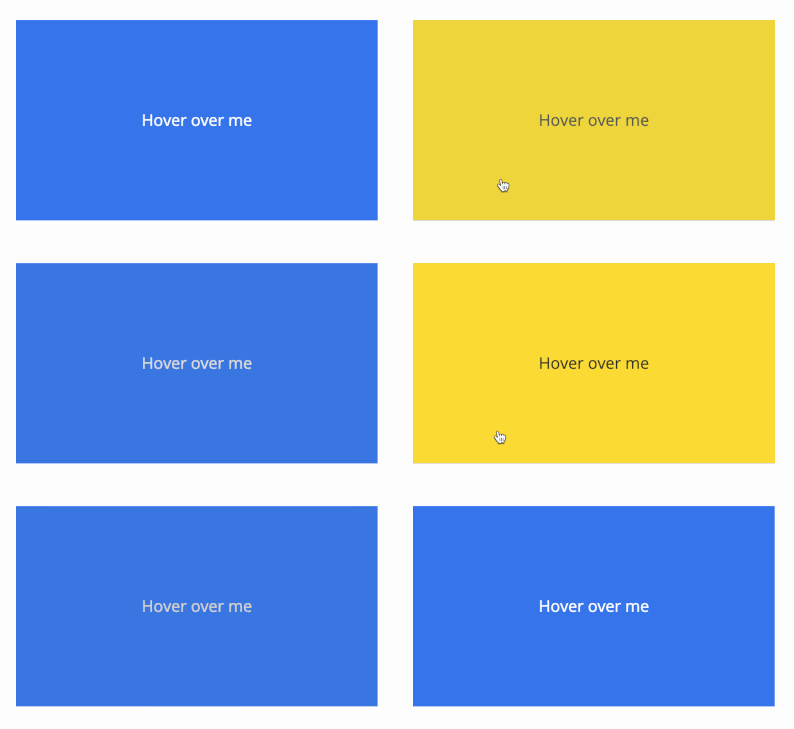
Rendering an Animation with SVG, Elm UI and Others
So you can use your own version of elm/svg and mdgriffith/elm-ui (or whatever Html abstraction you use) there are some helpers that let you create animated versions:
Hook into SVG
Give the Svg.Attributes class function to Simple.Animation.Animated.svg
animatedSvg =
    Simple.Animation.Animated.svg
        { class = Svg.Attributes.class
        }
Then create any animated SVG element you like!
svg : Animation -> List (Svg.Attribute msg) -> List (Svg msg) -> Svg msg
svg =
    animatedSvg Svg.svg


g : Animation -> List (Svg.Attribute msg) -> List (Svg msg) -> Svg msg
g =
    animatedSvg Svg.g
Hook into Elm UI
Provide these 3 functions to Simple.Animation.Animated.ui
animatedUi =
    Simple.Animation.Animated.ui
        { behindContent = Element.behindContent
        , htmlAttribute = Element.htmlAttribute
        , html = Element.html
        }
Then create animated Elements!
el : Animation -> List (Element.Attribute msg) -> Element msg -> Element msg
el =
    animatedUi Element.el


column : Animation -> List (Element.Attribute msg) -> List (Element msg) -> Element msg
column =
    animatedUi Element.column
Hook Into Custom Renderer
In case you want to completely customise how to render animations you can use the low level Simple.Animation.Animated.custom - which gives you access to the raw animation stylesheet and class name that will apply the animation.
For example, say you wanted to animate elm-community/typed-svg nodes - you could create animated versions like this:
g : Animation -> List (TypedSvg.Attribute msg) -> List (TypedSvg.Svg msg) -> TypedSvg.Svg msg
g =
    animatedTypedSvg TypedSvg.g


animatedTypedSvg node animation attributes children =
    Simple.Animation.Animated.custom
        (\className stylesheet ->
            node
                (TypedSvg.Attributes.class [ className ] :: attributes)
                (TypedSvg.style [] [ TypedSvg.text stylesheet ] :: children)
        )
        animation
You can find many of these common helpers here: https://github.com/andrewMacmurray/elm-simple-animation/blob/main/examples/src/Utils/Animated.elm
Run Locally
install dependencies
$ npm installrun the tests
$ npm testrun the examples
$ npm run examples