Scene3d.Mesh
This module lets you create object shapes which you can later render with
Scene3d.mesh or Scene3d.meshWithShadow
by applying a desired material.
IMPORTANT: Mesh (and Shadow) values should not be created dynamically
in your view function, since this is a relatively expensive operation that can
lead to low frame rates or even out-of-memory errors if done repeatedly.
Instead, they should be created only once (in your init or update function,
or even as a top-level constant), then stored in your model and reused from
frame to frame.
Note that this does not mean that objects can't move around or change color - you can freely change the material applied to a mesh from frame to frame, and you can use the various provided transformation functions to transform meshes around without having to recreate them.
Type aliases
These type aliases make it easier to write down type annotations for meshes you store in your model or return from a function.
A mesh containing vertex positions only.
A mesh with normal vectors at each vertex but no UV (texture) coordinates, meaning that surface appearance will be uniform across the mesh.
A mesh with UV coordinates at each vertex but no normal vectors (normal vectors are required for any kind of lighting calculation).
A mesh with both normal vectors and UV coordinates at each vertex, allowing for general-purpose texturing of lit objects.
A mesh with normal vectors, UV coordinates and tangent vectors at each vertex, allowing for full texturing including normal maps.
Constructors
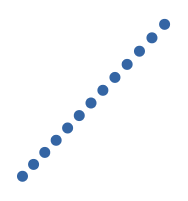
Construct a mesh from a list of points that that will be displayed as separate circular dots, given a particular dot radius in pixels.
Construct a mesh from a list of line segments.
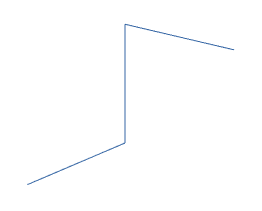
(Note that this particular case, where all the line segments meet end-to-end, could be rendered more efficiently as a polyline).
Construct a mesh from a single polyline.
Construct a plain mesh from a list of triangles.

Indexed meshes
These functions all use the TriangularMesh type from the
ianmackenzie/elm-triangular-mesh
package to allow the creation of indexed meshes, where vertices can be shared
between adjacent faces to save on space.
Construct a mesh from a TriangularMesh of plain positions.
Construct a mesh from a TriangularMesh of plain positions, but also
compute a normal vector for each triangle just like with facets.
Construct a mesh from a TriangularMesh of vertices with positions and
normal vectors.
Textured meshes
These functions behave just like their corresponding indexed versions but
additionally require each vertex to include UV
(texture) coordinates to allow textured materials
to be used.
Construct a mesh from a TriangularMesh of vertices with positions and
texture coordinates.
Construct a mesh from a TriangularMesh of vertices with positions and
texture coordinates, but additionally compute a normal vector for each triangle.
Construct a mesh from a TriangularMesh of vertices with positions, normal
vectors and texture coordinates.
Bumpy meshes
Construct a mesh from a TriangularMesh of vertices with positions, normal
vectors, texture coordinates and tangent vectors.
Shadows
In elm-3d-scene, to render an object with its shadow you will first need to
construct (and save somewhere) a Shadow value for that object. You can then
render the object with its shadow using Scene3d.meshWithShadow.
Represents the shadow of a particular object.
Construct a Shadow value from a given mesh. This is an expensive
operation, so Shadow values (like Mesh values) should be stored in your
model (or as top-level constants) instead of constructed dynamically in your
view function.
Optimizations
Back face culling is a
rendering optimization that cuts down on the number of triangles drawn by not
drawing any triangles that are facing away from the viewer (camera). However,
this only really works if the mesh in question is a closed volume with all faces
having the correct (counterclockwise) winding order.
For example, if render a simple curved surface which might get viewed from
either side, then you wouldn't want to enable back face culling because then the
surface would be invisible from one side! As a result, in elm-3d-scene back
face culling is disabled by default but you can enable it per-mesh as an
optimization where it is valid.
Note that cullBackFaces doesn't actually strip out any faces from the mesh,
since which faces are culled depends on the (dynamic) viewing direction - it
simply sets a flag on the mesh that indicates that back face culling should be
performed during rendering.
A
Meshdefines the shape of an object. It consists of a number of vertices (points that may have additional associated data like normal vectors and texture coordinates) joined together into triangles or line segments (or sometimes just displayed as dots).The two type parameters of the
Meshtype define what coordinate system a mesh is defined in, and what attributes (in addition to position) are present on each vertex. For example, arefers to a mesh defined in
WorldCoordinates(a type you would typically define yourself) that has position and normal vector defined at each vertex. (The()type isn't significant; you can think of it as meaning 'present'.)