elm-geometry
Release notes for all versions of elm-geometry are available
here.
elm-geometry is an Elm package for working with 2D and
3D geometry. It provides a wide variety of geometric data types such as points,
vectors, arcs, spline curves and coordinate frames, along with functions for
transforming and combining them in many different ways. You can:
- Rotate points around axes in 3D
- Mirror triangles across 3D planes
- Project 3D geometry into 2D sketch planes
- Measure distances and angles between different objects
- Convert objects between different coordinate systems
- Compose complex 2D/3D transformations
- ...and much more!
Table of contents
- Overview
- Units and coordinate systems
- Installation
- Using the package
- Documentation
- Related packages
- Climate action
- Questions and feedback
Overview
elm-geometry includes a wide variety of data types: points, vectors, directions...


...line segments, triangles, bounding boxes...


...polylines, polygons, quadratic and cubic splines...


...circles, arcs, ellipses and elliptical arcs...


...plus axes, planes, and various forms of 2D/3D coordinate systems:


A large range of geometric functionality is included, such as various forms of constructors...
Point3d.xyz
    (Length.meters 2)
    (Length.meters 4)
    (Length.meters 5)
-- OR --
Point3d.meters 2 4 5

Direction2d.fromAngle (Angle.degrees 30)
-- OR --
Direction2d.degrees 30

Point3d.midpoint p1 p2

Vector2d.withLength (Length.feet 3) Direction2d.y

Triangle2d.fromVertices ( p1, p2, p3 )
-- OR --
Triangle2d.from p1 p2 p3

Plane3d.throughPoints p1 p2 p3

Axis3d.through Point3d.origin Direction3d.z

Arc2d.from p1 p2 (Angle.degrees 90)

QuadraticSpline3d.fromControlPoints p1 p2 p3

CubicSpline2d.fromEndpoints
    startPoint
    startDerivative
    endPoint
    endDerivative
...point/vector arithmetic...
v1 |> Vector3d.plus v2

-- the vector from the point p1 to the point p2
Vector2d.from p1 p2

v1 |> Vector3d.cross v2

Vector2d.length vector

-- distance of a point from the origin
point |> Point2d.distanceFrom Point2d.origin
...and 2D/3D transformations:
vector |> Vector2d.rotateBy angle

point |> Point2d.rotateAround Point2d.origin angle

point |> Point3d.mirrorAcross Plane3d.xy

vector |> Vector3d.projectionIn Direction3d.z

triangle |> Triangle3d.rotateAround Axis3d.x angle

lineSegment
    |> LineSegment3d.mirrorAcross Plane3d.yz
    |> LineSegment3d.projectOnto Plane3d.xy

Plane3d.xy |> Plane3d.offsetBy (Length.meters 3)
Units and coordinate systems
Most types in elm-geometry include two phantom type parameters
that allow compile-time tracking of both what units that geometry is in (usually
either meters for real-world geometry, or pixels for on-screen geometry) and
what coordinate system the geometry is defined in. For example, you might use a
Point2d Pixels YUpCoordinatesto represent a point on the screen that is defined in Y-up coordinates (from the lower-left corner of an SVG drawing, for example) as opposed to Y-down coordinates from the top left corner of the screen.
Units
elm-geometry uses the Quantity type from elm-units to track/convert the units associated with
numeric values such as point coordinates, vector components, lengths, distances
and angles. Internally, elm-units converts everything to SI
units, so
Point2d.inches 10 20and
Point2d.centimeters 25.4 50.8are equivalent. Tracking units at compile time prevents mixing and matching different types of geometry; for example,
Point2d.xy (Length.meters 3) (Length.meters 4)and
Point2d.xy (Pixels.pixels 200) (Pixels.pixels 300)have completely different units, so the compiler can catch nonsensical operations like trying to find the distance from the first point to the second.
Coordinate systems
2D/3D geometry is often represented using X/Y/Z coordinates. As a result, in
addition to tracking which units are used, elm-geometry also lets you add type
annotations to specify what coordinate system particular geometry is defined
in. For example, we might declare a TopLeftCoordinates type and then add a
type annotation to a point asserting that it is defined in coordinates
relative to the top-left corner of the screen:
{-| A coordinate system where (0, 0) is the top left corner
of the screen, positive X is to the right, and positive Y
is down.
-}
type TopLeftCoordinates =
    TopLeftCoordinates

point : Point2d Pixels TopLeftCoordinates
point =
    Point2d.pixels 200 300
Note that the TopLeftCoordinates type we declared gives us a convenient place
to document exactly how that coordinate system is defined. This combination now
gives us some nice type safety - the compiler will tell us if we try to mix two
points that have different units or are defined in different coordinate systems.
Installation
Assuming you have installed Elm and
started a new project, you can install elm-geometry by running
elm install ianmackenzie/elm-geometryin a command prompt inside your project directory.
Using the package
By itself, elm-geometry only performs abstract geometric operations like
measurements (distances, areas), checks (containment, intersection) and
transformations (scaling, rotation, translation, mirroring). See the related
packages section below for links to some packages that build
on top of elm-geometry to perform 2D drawing, 3D rendering, physics simulation
etc.
In general when using elm-geometry, you'll need to import a module for every
different data type that you want to work with; there is no "main" module. For
example, to calculate the distance between two 2D points, you would import the
Point2d module and write something like:
module Main exposing (main)

import Html exposing (Html)
import Length
import Point2d

main : Html msg
main =
    let
        firstPoint =
            Point2d.meters 1 2

        secondPoint =
            Point2d.meters 3 4

        distanceInCentimeters =
            Point2d.distanceFrom firstPoint secondPoint
                |> Length.inCentimeters
    in
    Html.text <|
        "Distance: "
            ++ String.fromInt (round distanceInCentimeters)
            ++ " cm"
which should end up displaying "Distance: 283 cm".
Note that it was necessary to also import the Length
module from elm-units,
since the Point2d.distanceFrom
function returns a Quantity Float units,
not a plain Float. In general, in addition to elm-geometry modules, you'll
likely need to import either the Length or Pixels
modules from elm-units (depending on whether you're working in real-world or
on-screen units) to work with any individual values returned by elm-geometry
functions (distances, areas, point coordinates, vector components, etc.).
Documentation
Full API documentation
is available for each module. Most modules are associated with a particular data
type (for example, the Point3d
module contains functions for creating and manipulating Point3d values).
Related packages
There are several other Elm packages related to elm-geometry:
- For drawing in 2D, check out
elm-geometry-svg - For 3D rendering using WebGL, check out
elm-geometry-linear-algebra-interopandelm-3d-camera, or the upcomingelm-3d-scene - For physics-based simulations/games,
elm-physicsis based onelm-geometryand provides a 3D physics engine including collisions, gravity, and constraints (joints) - The
elm-1d-parameterpackage is both used internally byelm-geometry, and is useful to combine with functions likePoint2d.interpolateFromto generate evenly-spaced values - Functions like
Polygon2d.triangulatereturn their results as aTriangularMeshvalue fromelm-triangular-mesh
I'm hopeful that in the future there will be packages that build on
elm-geometry to do non-graphical things like 3D printing or CNC machining!
Climate action
I would like for the projects I work on to be as helpful as possible in addressing the climate crisis. If
- you are working on a project that helps address the climate crisis (clean energy, public transit, reforestation, sustainable agriculture etc.) either as an individual, as part of an non-profit organization or even as part of a for-profit company, and
- there is a new feature you would find helpful for that work (or a bug you need fixed) in any of my open-source projects, then
please open a new issue, describe briefly what you're working on and I will treat that issue as high priority.
Questions and feedback
Please open a new issue
if you run into a bug, if any documentation is missing/incorrect/confusing, or
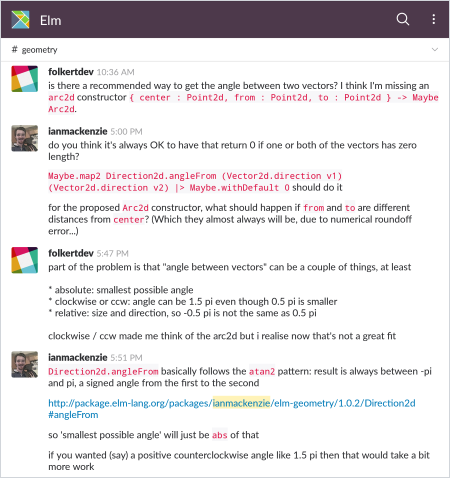
if there's a new feature that you would find useful. For general questions about
using elm-geometry, the best place is probably the #geometry channel on
the friendly Elm Slack:
You can also try:
- Sending me (@ianmackenzie) a message on Slack - even if you don't have any particular questions right now, it would be great to know what you're hoping to do with the package!
- Posting to the Elm Discourse forums
You can also find me on Twitter (@ianemackenzie),
where I occasionally post elm-geometry-related stuff like demos or new
releases. Have fun, and don't be afraid to ask for help!
Modules
- Arc2d
- Arc3d
- ArcLengthParameterization
- Axis2d
- Axis3d
- Block3d
- BoundingBox2d
- BoundingBox3d
- Circle2d
- Circle3d
- CubicSpline2d
- CubicSpline3d
- Cylinder3d
- DelaunayTriangulation2d
- Direction2d
- Direction3d
- Ellipse2d
- EllipticalArc2d
- Frame2d
- Frame3d
- LineSegment2d
- LineSegment3d
- Plane3d
- Point2d
- Point3d
- Polygon2d
- Polyline2d
- Polyline3d
- QuadraticSpline2d
- QuadraticSpline3d
- Rectangle2d
- Rectangle3d
- SketchPlane3d
- Sphere3d
- SweptAngle
- Triangle2d
- Triangle3d
- Vector2d
- Vector3d
- VoronoiDiagram2d