Element.Attributes
This module is a mirror of Html.Attributes
Some attributes have been added.
The only modification to the existing library is that style has been renamed inlineStyle to avoid collision with Style.style.
Since this is a style library, you shouldn't need it very often.
Style Element Attributes
These are the new attributes that generally have to do with layout.
Apply a style variation.
el MyButton [ vary Disabled True ] (text "My Disabled Button!")Alignment
Alignment attributes are incredibly useful for adjusting your layout.
When applied to layout elements like row and grid, alignment will affect the alignment of the children.
When applied to singular elements like el, alignment will affect the alignment of that individual element.
Sizing
Length
Spacing ++ Padding
Spacing allows a layout to set the distance between the children in the layout.
So this layout:
row [ spacing 10, padding 10 ]
    [ el Box [] empty
    , el Box [] empty
    , el Box [] empty
    ]
Is rendered into something like this:
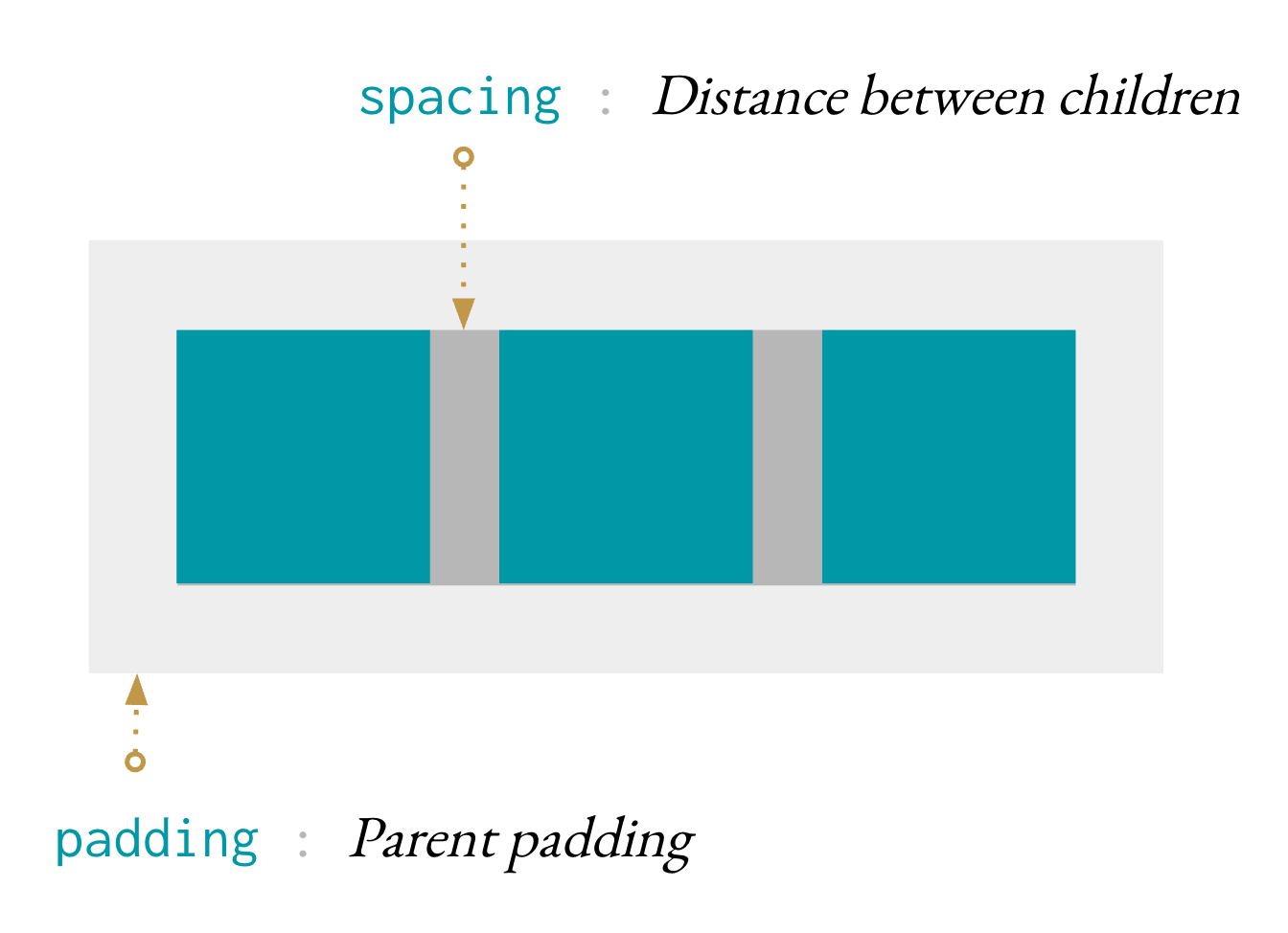
Set the spacing between children in a layout.
Set the horizontal and vertical spacing separately.
This is generally only useful in a textLayout or a grid.
Set horizontal and vertical padding.
Positioning
Scrollbars
Turn on scrollbars if content overflows.
Turn on scrollbars if content overflows vertically.
Turn on scrollbars if content overflows horizontally.
Overflow
Clip content that overflows.
Conversion
Convert an existing Html.Attribute to an Element.Attribute.
This is useful for working with any library that returns a Html.Attribute.
Primitives
This is the manual override for to specify inline css properties.
myStyle : Attribute msg
myStyle =
    inlineStyle
        [ ( "backgroundColor", "red" )
        , ( "height", "90px" )
        , ( "width", "100%" )
        ]


greeting : Html msg
greeting =
    el [ myStyle ] (text "Hello!")
Use it if you need to, though it's obviously recommended to use the Style module instead.
Create properties, like saying domNode.className = 'greeting' in
JavaScript.
import Json.Encode as Encode


class : String -> Attribute variation msg
class =
    Html.Attributes.class
Read more about the difference between properties and attributes here.
Create attributes, like saying domNode.setAttribute('class', 'greeting')
in JavaScript.
class : String -> Attribute variation msg
class =
    Html.Attributes.class
Read more about the difference between properties and attributes here.
Transform the messages produced by an Attribute.
Super Common Attributes
Often used with CSS to style elements with common properties.
This function makes it easier to build a space-separated class attribute. Each class can easily be added and removed depending on the boolean value it is paired with. For example, maybe we want a way to view notices:
viewNotice : Notice -> Html msg
viewNotice notice =
    div
        [ classList
            [ ( "notice", True )
            , ( "notice-important", notice.isImportant )
            , ( "notice-seen", notice.isSeen )
            ]
        ]
[ text notice.content ]Often used with CSS to style a specific element. The value of this attribute must be unique.
Remove the element from the view.